
Shared hosting vs. VPS hosting vs. Dedicated hosting: Which is Right for You?
Browsing hosting company websites and facing difficult-to-read options/ packages and terminology like shared hosting, VPS hosting, and dedicated hosting, so what are these and what should you choose? choosing the right plan can be perplexing. Don't worry! This article will guide you and will illustrate the distinctions between these hosting types, weigh their pros and cons empower you to make an informed final selection that may align correctly with your newly developed website's space, bandwidth and facilities needs also budget.
1. Shared Hosting: The Budget-Friendly Communal Apartment
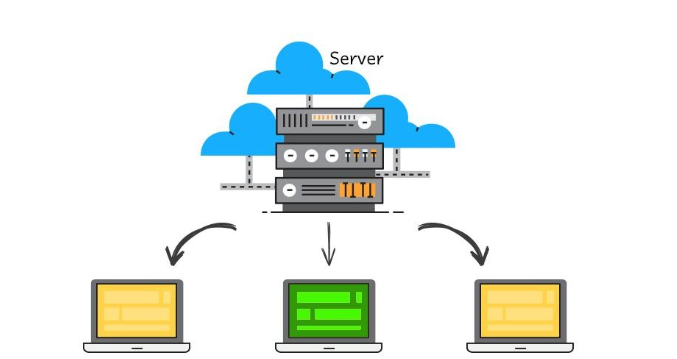
Imagine living in a bustling apartment complex where you share common areas and amenities with other residents. Shared hosting operates on a similar principle. Multiple websites coexist on a single server, sharing its resources like CPU, RAM, and storage.
- Pros:
- Affordability: Shared hosting is the most budget-friendly option, making it ideal for small websites, blogs, or personal projects with moderate traffic.
- Ease of Use: Hosting providers typically handle server maintenance and technical aspects, allowing you to focus on your website's content and design.
- Cons:
- Limited Resources: Since resources are shared, your website's performance can be impacted if other sites on the server experience high traffic spikes.
- Limited Control: You have minimal control over server configurations and settings.
- Security Concerns: Shared environments can be more vulnerable to security risks, as a breach on one website could potentially affect others on the same server.
- Best for: Small websites, blogs, or personal projects with low to moderate traffic that don't require extensive resources or customization.
2. VPS Hosting (Virtual Private Server): Your Own Slice of the Pie
[Image: a pie chart divided into sections, each representing a VPS with dedicated resources]
Think of VPS hosting as owning a condo within a larger building. You have your own dedicated space and resources, but you still share the underlying infrastructure with other "residents." In technical terms, a VPS is a virtualized partition of a physical server, providing you with a dedicated allocation of resources like CPU, RAM, and storage.
- Pros:
- Improved Performance: Compared to shared hosting, VPS hosting offers better performance and stability, as your website has its dedicated resources.
- Greater Control: You have more control over server configurations and can install custom software or applications.
- Enhanced Security: While still sharing the physical server, VPS environments are generally more isolated and secure than shared hosting.
- Cons:
- Slightly Higher Cost: VPS hosting is typically more expensive than shared hosting.
- Requires Some Technical Knowledge: Managing a VPS might require some technical expertise to configure and maintain the server environment.
- Best for: Growing websites, businesses, or online projects that require more resources and control than shared hosting but don't need the full power of a dedicated server.
3. Dedicated Hosting: Your Private Island

Dedicated hosting is like owning your own private island - you have exclusive access to an entire physical server, all its resources, and complete control over its configuration and your website stays alone there and use maximum resources for best performance.
- Pros:
- Maximum Performance and Control: Dedicated hosting offers unparalleled performance, flexibility, and customization options, allowing you to tailor the server environment to your specific needs.
- Enhanced Security: Since you're the sole occupant of the server, your website is isolated from potential security risks associated with shared environments.
- Cons:
- Highest Cost: Dedicated hosting is the most expensive hosting option.
- Requires Technical Expertise: Managing a dedicated server demands technical skills to handle server administration, security, and maintenance tasks.
- Best for: Large websites, e-commerce stores, or resource-intensive applications that require maximum performance, control, and security.
Conclusion
Choosing the best web hosting solution for your website depends on your specific needs, budget, and technical capabilities.
- If you're starting out or have a small website with moderate traffic, shared hosting can be a cost-effective option.
- If your website is growing or requires more resources and control, consider VPS hosting.
- If you have a large website with high traffic or resource-intensive applications, and you need maximum performance and control, dedicated hosting is the way to go.
Remember, your hosting selection will be first step and make it live, but to keep it live there are many things to consider about hosting package, resources, technical support, error handling, first time fees, additional resource charges and so on, so is best to consult with technical person/ professional if you don't have much knowledge or unable to understand packages and their importance.