
How to Transfer a Domain Name in 2026: A Step-by-Step Guide
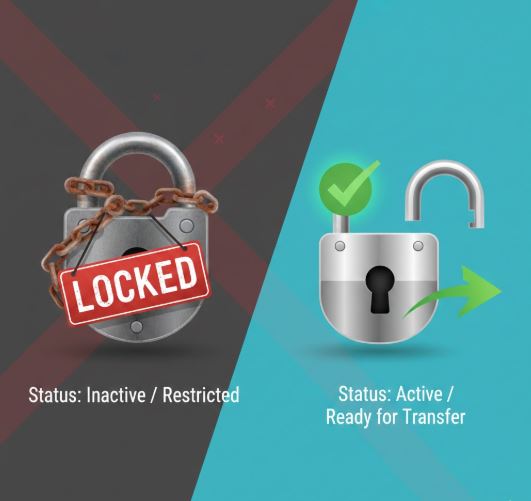
Transferring your domain name to a different registrar is a powerful way to cut costs and gain better security. Whether you are moving away from price hikes or seeking better customer support, this guide covers the exact steps to transfer your domain without breaking your website.
Quick Summary: The 2025 Checklist
- Time required: 5–7 days (usually).
- Cost: 1 year of renewal (paid to the new registrar).
- Downtime: None (if you follow Step 6 correctly).
1. Check Domain Eligibility
Before you start, ensure your domain is actually allowed to move. ICANN regulations require the following:
- The 60-Day Rule: The domain must be at least 60 days old. It cannot be transferred if it was registered or transferred within the last 60 days.
- 60-Day Lock on Updates: If you recently changed your contact info (First Name, Last Name, or Organization), your current registrar may have placed a 60-day security lock on the domain. Check your status to be sure.
2. Prepare Your Domain for Transfer
You must perform these two actions at your current registrar:
- Unlock the Domain: Log in to your current dashboard, find the "Domain Lock" or "Theft Protection" setting, and toggle it to OFF.
- Disable Privacy Protection: Some registrars require you to temporarily turn off "Whois Privacy" or "Redaction" so the new registrar can verify you are the owner. Note: Many modern registrars (like Namecheap or Cloudflare) no longer require this, but it is safer to check.
3. Obtain the Authorization Code (EPP Code)
You cannot transfer a domain without the EPP Code (also called an Auth Code or Transfer Key).
- Request it: Look for a "Get Authorization Code" button in your current registrar’s settings.
- Save it: Copy this alphanumeric string immediately. It acts as the password for your domain move.
4. Initiate the Transfer at the New Registrar
Go to your chosen new registrar. In 2025, the industry leaders for speed and pricing are Cloudflare, Porkbun, and Namecheap.
- Select "Transfer": Do not click "Register a new domain." Look specifically for "Transfer a Domain."
- Enter Info: Type in your domain name and paste the EPP Code you copied earlier.
- Pay the Fee: Transfers are technically free, but you are required to pay for one additional year of registration. This year is added to your current expiration date (you don't lose any time you already paid for).
5. Approve the Transfer
Security is tight to prevent theft. You will likely have to approve the move twice:
- At the New Registrar: You may see a checklist confirming your EPP code is valid.
- At the Old Registrar: They will send an email (or a dashboard notification) asking, "Did you request this?" You must approve this, or the transfer will auto-reject after 5 days.
- Pro Tip: Some registrars allow you to "Fast Track" the release manually in their dashboard immediately after approval, saving you the standard 5-day wait.
6. The "Zero Downtime" Secret (Critical Step)
Many guides claim downtime is inevitable. It is not.
- If you keep your hosting-a-simple-guide-for-beginners" style="color:#34a853; font-weight:700;">hosting-a-simple-guide-for-beginners" style="color:#34a853; font-weight:700;">hosting-a-simple-guide-for-beginners" style="color:#34a853; font-weight:700;">hosting-a-simple-guide-for-beginners" style="color:#34a853; font-weight:700;">hosting-a-simple-guide-for-beginners" style="color:#34a853; font-weight:700;">hosting-a-simple-guide-for-beginners" style="color:#34a853; font-weight:700;">hosting-a-simple-guide-for-beginners" style="color:#34a853; font-weight:700;">hosting-a-simple-guide-for-beginners" style="color:#34a853; font-weight:700;">hosting: When you initiate the transfer, the new registrar will ask if you want to "Keep current nameservers." Select YES. This ensures your domain keeps pointing to your existing website hosting without a millisecond of interruption.
- If you are changing hosting too: You must update your DNS records after the transfer is complete.
7. Wait for Completion
Once approved, the process is automatic.
- Typical Wait: 5 to 7 days.
- Fast Track: If you manually released the domain (Step 5), it can happen in as little as 30 minutes.
- Once finished, you will receive a "Transfer Complete" email. Log in to your new registrar and turn Domain Lock back ON immediately for security.
Conclusion
Transferring a domain in 2025 is a standardized, safe process. By unlocking your domain and copying your DNS settings correctly, you can switch providers to save money and get better features without your website ever going offline.
Ready to move? Start by logging into your current registrar and finding that "Unlock" button today.
